
Add natural, photorealistic color to black-and-white photos using AI
or drop here · JPG, PNG, WebP — up to 10 MB
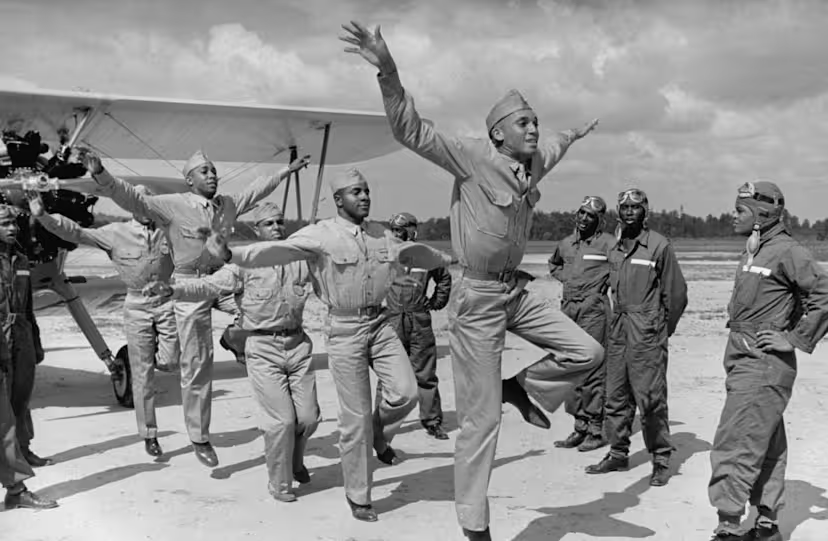
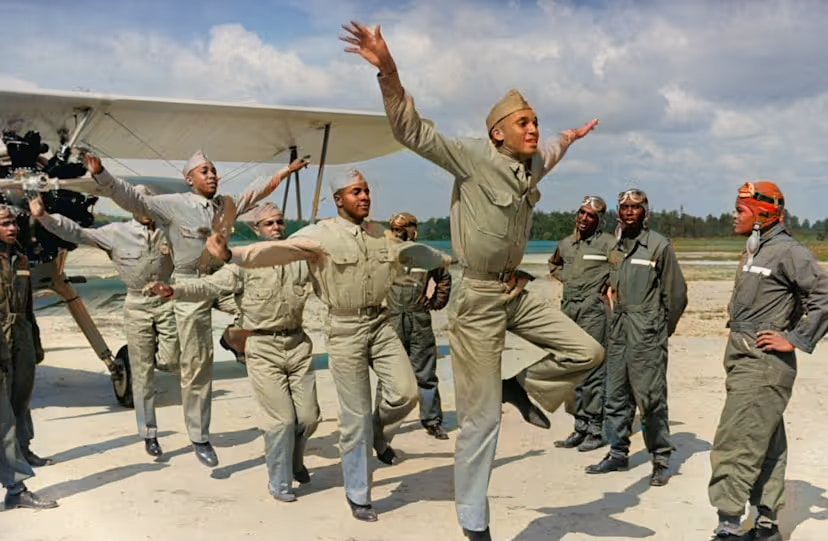
Upload a file to start
The Large model produces more accurate, photorealistic colors. The Tiny model runs faster and works well for simpler scenes.
Powered by DDColor — current state of the art for B&W colorization. Best on portraits and scenes with recognizable subjects (people, landscapes, common objects).
Bring black-and-white photos to life with photorealistic AI colorization. ImageSuite uses DDColor (piddnad/ddcolor on Replicate) — a transformer-based model that produces noticeably more accurate, less washed-out color than earlier colorization networks. Best on real photographs with clear lighting; weaker on heavily stylized illustrations.
AI Colorize is a Pro feature ($9/mo flat).
JPG, PNG, AVIF, WebP, or HEIC — non-JPEG inputs are normalised to JPEG before the model sees them.
Process usually takes a few seconds. Save as JPG or PNG.
DDColor is trained on millions of real photos, so it picks plausible — not historically verified — colors. Skies, skin tones, foliage, and common materials look natural. Specific clothing or vehicle colors are guesses.
DDColor (piddnad/ddcolor on Replicate). Pinned to a specific version for reproducibility.
Not yet — DDColor is fully automatic in this implementation. If text-guided colorization becomes important to users, we may add it as an option.
DDColor's container decodes images by file extension. AVIF, WebP, and HEIC weren't reliably decoded, so we transcode to JPEG before the call. The output is still saved at the format you pick.